
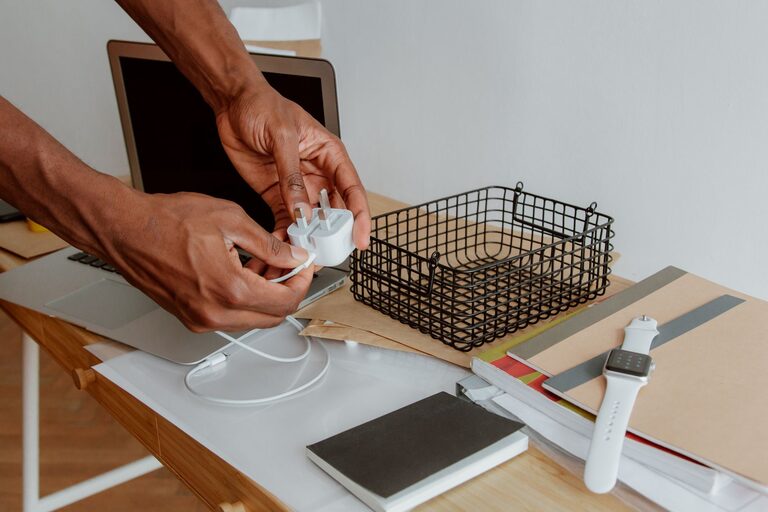
A pile of tangled cables can make any desk, drawer, or entertainment area feel messy. It can also make it difficult to find the right charger when you need it. The good news is that organizing cables does not require expensive equipment or a major home project. With a few simple steps, you can create a system that keeps cords easy to find, use, and store.
Start by Gathering Every Cable
Before organizing anything, collect all of your cables and chargers in one place. Check desks, drawers, nightstands, bags, closets, and storage boxes. Include:
– Phone and tablet chargers
– Laptop power cords
– USB cables
– Headphone cables
– Extension cords
– Printer and monitor cables
– Camera and gaming accessories
– Spare or unused adapters
Seeing everything together helps you understand what you own. It also prevents you from organizing one area while leaving extra cables hidden somewhere else.
Place the cables on a table or another open surface. Avoid sorting them while they are still packed into a drawer, since hidden cords are easy to overlook.
Sort Cables by Type and Purpose
Once you have gathered the cables, separate them into groups. The best categories depend on your home and technology, but useful groups include:
– Daily-use chargers
– Computer and desk cables
– Audio and video cables
– Travel chargers
– Specialty cables
– Extension cords and power strips
– Unidentified cables
You can also sort cables by the device they belong to. For example, place laptop accessories together, keep camera cables in one group, and store gaming cables separately.
Try to keep cables with similar uses together rather than sorting only by appearance. Two cables may look alike but serve different purposes. A cable that fits a device is not always designed for the same function as another cable with a similar connector.
Remove Cables You No Longer Need
Sorting is a good opportunity to reduce clutter. Set aside cables that are:
– Frayed, cracked, bent, or exposed
– Loose at the connector
– Missing important parts
– Connected to devices you no longer own
– Duplicates that you never use
– So old that you cannot identify them
Do not keep a cable simply because it might be useful someday. Keep a small backup supply if it is practical, but avoid storing large quantities of identical or unknown cords.
For cables you cannot identify, place them in a separate box labeled “check later.” If you do not use them after a few months, they may not be worth keeping. Dispose of damaged electronic accessories according to your local recycling guidelines instead of placing them in regular household trash.
Label Both Ends of Important Cables
Labels make it much easier to identify a cable without tracing it through a pile. This is especially helpful for cords connected behind a desk, television, or media cabinet.
You can use:
– Small adhesive labels
– Colored tape
– Reusable cable tags
– Marker-written labels
– Clip-on identification rings
Label both ends when possible. For example, write “monitor” near the device connection and “monitor power” near the outlet or power strip. For charging cables, label the device or purpose, such as “tablet,” “camera,” or “travel.”
If several cables serve the same purpose, use a color system. You might use blue for computer accessories, green for travel items, and yellow for entertainment devices. Keep the system simple so you can remember it later.
Choose the Right Storage Method
Different cables need different storage solutions. Daily-use cords should stay within easy reach, while occasional accessories can be stored farther away.
Use Cable Ties for Loose Cords
Reusable hook-and-loop ties are one of the simplest ways to prevent tangles. Wrap each cable loosely in a loop, then secure it with a tie. Avoid wrapping cables tightly around adapters or bending them sharply, since this can place stress on the cord.
Reusable ties are usually more convenient than disposable plastic ties because you can open and close them whenever needed. If you do not have cable ties, fabric strips, twist ties, or small reusable bands can work temporarily.
Store Small Cables in Compartments
A drawer organizer, divided box, or small basket can keep short cables separated. Give each section a purpose, such as:
– Phone chargers
– USB cables
– Audio cables
– Adapters
– Memory card accessories
Small pouches are also useful for travel cables. Choose transparent containers when possible so you can see what is inside without opening every box.
Use a Cable Box for Power Strips
A cable management box can hide a power strip and reduce the appearance of loose cords on the floor. Place the power strip inside the box and guide the necessary cables through the openings.
If you do not want to buy a cable box, use a sturdy storage container with suitable openings. Make sure the container does not block ventilation or trap heat. Do not cover a power strip in a way that could create a safety concern.
Organize the Area Around Your Desk
Desks often collect the most cable clutter because they combine computers, monitors, chargers, lamps, and other accessories. Start by deciding where each device should sit. Then route each cable along the shortest practical path.
Helpful solutions include:
– Adhesive cable clips along the back edge of a desk
– A cable tray under the desktop
– Clips that keep charging cables near the front edge
– A sleeve that groups several cords together
– Labels for cords that run behind furniture
Keep frequently used cables accessible. A phone charger that is used every day should not be buried behind a desk. Less frequently used cords can be routed out of sight or stored in a nearby container.
Leave a little extra length so you can move a device without pulling on the cable. At the same time, avoid leaving long loops on the floor where they can become tangled or create a tripping hazard.
Create a Charging Station
A dedicated charging station can prevent chargers from spreading throughout the house. Choose one location near a convenient outlet, such as a desk, entry table, or shelf.
A charging station may include:
– A power strip or charging hub
– A small tray for devices
– Labeled slots for different cables
– A basket for travel chargers
– Cable clips to keep connectors in place
Assign each cable a regular position. When a device is finished charging, return both the device and cable to the same spot. This simple habit keeps the station organized over time.
Store Cables for Travel
Travel cables are easier to manage when they have their own pouch. Choose a small organizer with separate sections for chargers, adapters, and short cords.
Before leaving, check that the pouch contains only what you need. Remove extra cables after each trip so the bag does not slowly become a collection of unused accessories.
Coil travel cables loosely and secure them with reusable ties. Keeping cables separated from toiletries, keys, and other items can help prevent damage and makes security checks or unpacking easier.
Maintain the System
Cable organization works best when it becomes a routine. Once a month, spend a few minutes returning cables to their assigned places. Remove cords that have become damaged or are no longer needed.
Use these habits to keep clutter under control:
– Unplug chargers that are not in use
– Return cables after charging
– Keep backup cables in one labeled container
– Replace damaged cords promptly
– Avoid mixing unknown cables with daily-use items
– Review your cable collection when replacing devices
A neat cable system does not need to look perfect. The goal is to make every cord easy to find, safe to use, and simple to put away. By sorting cables, labeling important items, and giving each group a designated home, you can keep desks, drawers, and charging areas tidy with very little effort.