
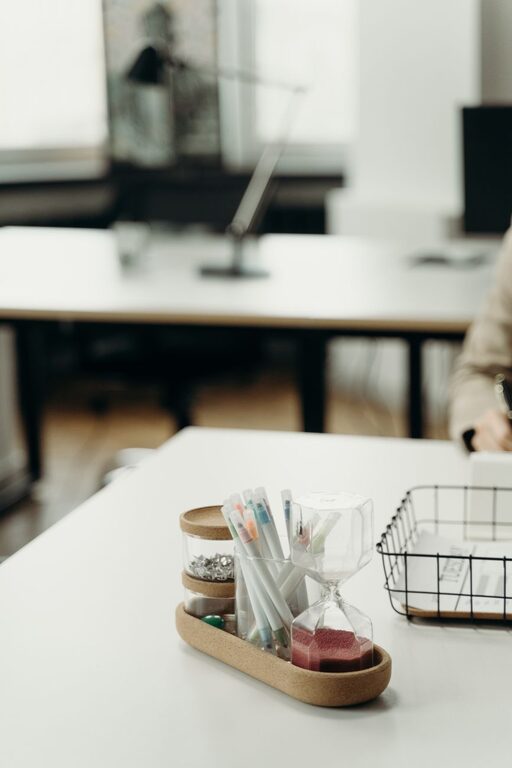
A workspace does not need a complete makeover to feel fresh. In many cases, ten focused minutes are enough to clear distractions, improve comfort, and create a better environment for your next task.
This quick reset works for a home office, a shared desk, a study area, or any place where you work regularly. The goal is not perfection. It is to make a few small changes that have an immediate effect.
Minute 1: Set a simple goal
Before moving anything, decide what you want from the reset. A clear goal keeps you from getting distracted by larger cleaning projects.
Try choosing one of these aims:
– Clear the main work surface
– Make room for your current project
– Reduce visual distractions
– Improve your sitting position
– Prepare for the next work session
Set a timer for ten minutes. Knowing that the reset has a firm end point makes it easier to begin and helps prevent overthinking.
If your workspace is very cluttered, do not try to organize every drawer or shelf. Focus on the area that you see and use most.
Minutes 2–3: Remove obvious clutter
Start with the fastest win: remove anything that does not belong on your desk.
Pick up empty cups, food wrappers, old receipts, packaging, and papers you no longer need. Put trash in the bin and return misplaced items to their usual locations.
If you are unsure where something belongs, place it in a temporary “sort later” pile or basket. This keeps the desk clear without interrupting your short reset.
Avoid reading documents, opening mail, or checking old notes during this step. Those tasks can easily turn a ten-minute refresh into an hour-long project.
Use three quick categories
As you clear the area, sort items into three simple groups:
- Keep here
- Move elsewhere
- Throw away or recycle
Do not create too many categories. The purpose is to make quick decisions and create visible space.
Minutes 4–5: Create a clear work zone
Once the obvious clutter is gone, arrange the items you use most often. Keep your main work area open and place frequently used tools within easy reach.
For example, you might keep:
– Your computer or notebook in the center
– A pen or pencil nearby
– A small notepad on one side
– A lamp positioned to provide comfortable light
– A water bottle within reach
Move decorative items, extra supplies, and rarely used equipment away from the center of the desk. They do not have to disappear completely. They simply should not compete with your main task.
A clear work zone gives your eyes a place to rest and makes it easier to begin without rearranging everything first.
Minute 6: Refresh your technology
Technology can make a workspace feel messy even when the surface is clean. Take one minute to reset the devices and cords around you.
Close unnecessary browser tabs and applications. Leave only the tools related to your next task. If your desktop is crowded with files, move them into one temporary folder or a clearly named project folder.
Then check the most visible cables. Straighten them, remove chargers you are not using, and route cords toward the back or side of the desk. Cable clips, twist ties, or a simple box can help keep loose wires together.
You do not need to build a complete cable management system. The quick goal is to reduce tangles and remove anything that makes the area feel unfinished.
Minute 7: Improve your comfort
A workspace refresh should make the area feel better to use, not just cleaner to look at.
Make a few simple adjustments:
– Place your screen where you can view it comfortably
– Sit with your feet supported
– Keep your shoulders relaxed
– Move your keyboard and mouse within easy reach
– Adjust the chair so you are not leaning too far forward
– Make sure your main light is not shining directly into your eyes
If you work near a window, check whether sunlight creates glare on your screen. Moving the screen or adjusting a shade may make a noticeable difference.
Small comfort improvements can help you stay focused because you are less likely to be distracted by an awkward position or an irritating setup.
Minute 8: Add one pleasant detail
A refreshed workspace should be practical, but it can also feel welcoming. Add one small detail that makes you enjoy being there.
You might:
– Open a window for fresh air
– Place a favorite photo nearby
– Add a small plant
– Use a mug you like
– Turn on a soft lamp
– Put on quiet background music
– Choose a light, clean scent if appropriate for the space
Keep this step simple. Too many decorations can quickly become another source of visual clutter. One thoughtful addition is often enough to make the workspace feel more personal.
Minute 9: Prepare for the next task
Use this minute to make starting easier. Write down the first task you will complete when you return to the workspace.
Be specific. Instead of writing “work on project,” try:
– Draft the opening paragraph
– Review the first three pages
– Reply to two messages
– Create the outline
– Complete the next spreadsheet section
You can also place the materials for that task in front of you. Open the correct document, set out the needed notebook, or bookmark the page you will use.
This removes a common obstacle: spending the first several minutes deciding what to do. When the next step is visible, it takes less effort to get started.
Minute 10: Finish with a quick check
Take one final look at the whole area. Ask yourself:
– Is the main work surface clear?
– Are the items I need easy to reach?
– Is anything distracting me?
– Does the space feel comfortable?
– Do I know what I will do first?
Make one last adjustment, then stop. A workspace does not need to look like a showroom. It only needs to support the way you use it.
If you still see tasks that need attention, write them on a short list for another time. Saving those tasks prevents them from interrupting your work now.
How to keep the refresh from becoming a big chore
The easiest way to maintain a workspace is to use a short closing routine. At the end of a work session, spend two or three minutes returning items to their places.
A simple routine might include:
- Throw away or remove trash
- Return dishes and supplies
- Close finished documents
- Put important papers in one location
- Clear enough space for the next task
You can also choose a regular reset time, such as the end of each workday or the start of each morning. A small habit is easier to maintain than an occasional deep clean.
Make the ten-minute reset your own
Every workspace has different needs. Someone who works with paper may need a filing tray, while someone who works mostly online may benefit more from a cleaner computer desktop. Adjust the steps to match your daily routine.
The most important principles are simple:
– Remove what you do not need
– Keep useful items within reach
– Reduce visual and digital distractions
– Improve your comfort
– Prepare one clear next step
In just ten minutes, you can turn a crowded or uninspiring area into a workspace that feels ready for action. The result may be small, but it can make beginning your next task much easier.